IMPORTANT Shop Update – GPSR: What It Means To My Small/Micro Business

Photo by 2H Media on Unsplash

Hello There

Long time no blog. It’s been a busy few weeks here at Panda Motion Designs, hence why there hasn’t been much blog posting lately.

I am posting about something important today that will have an affect on my business and many other micro/small businesses out there. The General Product Safety Regulation (GPSR), a new EU regulation that will take affect on December 13th 2024. I only recently learned about this regulation thanks to my fellow users on Threads and it will have a big affect on who and where I can sell my products.

In a nutshell, it means, that as of 13th December 2024, I will not be able to sell to anyone in the EU. Via either my website or Etsy.

Let’s take a look at it in some bitesize pieces. As of November 2024, there is surprisingly very little information about it so I will shut my shop to EU buyers just to safe until things are made clearer. If it does I will post updates to this blog.

*Updated: 26/20/2025

Updated: 09/01/2025

Updated: 17/12/2024


What is GPSR?

The General Product Safety Regulation (GPSR), aims to ensure the sale of safe products to customers/buyers in the European Union (EU) and Northern Ireland (NI). Both new and second hand products. There are specific rules/regulations that must be followed by businesses/individuals that sell to the EU & NI regarding product safety.

What Are These Specific Rules/Regulations?

Good question. This is where it starts to get confusing, but will try my best to explain.

To comply with this new regulation you must have the following information included on your labels and invoices:

  • Manufactures name and contact information
  • Name and contact information of a nominated authorised EU representative if your business is not based in the EU
  • Relevant product information (pictures, model number, etc)
  • Product safety compliance information in the local language (E.g. Warning labels and safety information)
  • CE label if required

Are There Any Exemptions?

GPSR applies to all non-food products. The following is excluded:

  • Medicinal products
  • Food and feed products
  • Living animals and plants
  • Genetically modified organisms and microorganisms
  • Animal by-products
  • Plant protection products, also referred to as pesticides 
  • Plant and animal products related to their reproduction
  • Antiques
  • Certain types of aircraft
  • Travel equipment operated by a service provider to transport consumers
  • Products that need to be repaired, reconditioned, or recycled prior to being used and are clearly marked as such

This list was copy and pasted from eBay.

This list is somewhat vague and many are confused as to whether or not their product falls under this list or not. Sadly, non of my products fall under any of these exemptions.


***Updated 17/12/2024***

I have seen some people saying or have been advised; that anything made before the 13th December 2024 is exempt from GPSR. Now I am not sure how accurate this is as it’s still very unclear in the rules. For now I am airing on the side of caution

***Updated 09/01/2025***

Digital products ARE NOT EXEMPT from GPSR. Etsy confirmed this in the seller handbook but they are awaiting further clarification


Does This Affect my UK Based Business?

If you are based in England, Scotland or Wales, and any other country that is not a member of the EU, then yes it will affect you. If you are based in Northern Ireland it won’t affect you as NI is still considered part of the EU as it has stayed within the single market.

You will not be able to sell anything to the EU or Northern Ireland, unless you follow and comply with the regulations. Mostly, appointing an European Authorized Representative (E.A.R) will have the biggest impact. You won’t need one if your business is based within the EU but it is a requirement for anyone outside the EU.

And, they are not cheap. I have seen people quoted hundreds, even thousands of pounds (GBP) and it’s just not financial viable for me to appoint one when it will cost me a lot more than I actually make in sales in a year.

How do I Appoint an E.A.R?

eBay has a list of companies in it’s FAQs about GPSR. It is a good place to start.

What Happens if I Do Not Comply?

That’s up to you if you don’t wish to comply. I have seen many on social media decide that they will take the risk.

You may be faced with fines, product recall and even being banned. If you have a marketplace shop such as Etsy then Etsy will shut your shop down or suspend you.

For me personally it isn’t worth the risk. I will changing my delivery profiles on Etsy soon to prevent my shop from being seen by anyone in the EU in time for 13th December, my website will follow suit soon after. There is a grace period, but it’s not clear as to how long that grace period is.

What About Northern Ireland?

Lets add more confusion into the mix. As Northern Ireland is part of the single market in the EU (They use Euros as well) it still falls under the GPSR, same as mainland Europe. Despite it being a member of the UK. Confused? Yup you’re not the only one.

What is also adding to the confusion are some delivery profiles on marketplace sites are not separating NI as it’s own separate profile. One being Etsy adding to the confusion. This is making it very difficult to remove NI as a place you can’t deliver to as it falls under “UK” profiles, making it very difficult to be compliant. I am going to be watching the situation on Etsy, as I simply cannot remove UK from my delivery profile as I ship mostly to UK and USA.

Once I have an update I will post an update on here.


***UPDATE – 17/12/2024***

On 13th December (the day GPSR came into affect) Etsy made an announcement on the Seller Handbook concerning selling digital products and having the option to remove Northern Ireland as a option to ship to. In a nutshell, they are looking into it and plan to have an update on delivery profiles and digital products on 31st December 2024. I’m not sure why they have taken so long but hopefully this is going in the right direction.

Current advice is to cancel orders that come in. Which is not particularly helpful.

BBC Article

***UPDATE – 09/01/2024***

Etsy made an updated announcement over the holidays. The latest is they are planning on making the changes to allow the option to not sell to Northern Ireland in the delivery settings. This option will be for both digital and physical products being sold on Etsy. However, they won’t be starting to make these changes until the end of February 2025

***UPDATE – 26/02/2025***

Etsy has finally updated seller profiles and the option to sell or not to sell to EU and NI is now available. It can be found under Settings > Options on your Etsy Seller profile.


I Have Ordered from Your Shop before December 13th and I have an Issue, Can I still contact you?

Any items sold to the EU before 13th December are exempt for a certain period of time (the grace period which isn’t clear how long the grace period is) I will be able to send out before 13th December when this takes affect.

I believe this also covers any replacements I send for damaged or lost items. So don’t worry but please get in touch ASAP. Either via Etsy or email pandamotions@gmail.com


Until Next Time…

So in conclusion…I will not be selling to EU countries or Northern Ireland as of 13th December 2024. I will be updating my Etsy delivery profiles next week. This is just an awful regulation, especially at one of the busiest times of year for many micro/small businesses. I understand it, safety is important especially with some dodgy sellers out there but this particular regulation is making it more difficult than necessary. Hoping things will become clearer as time goes on and I may be able to sell again.

It’s extremely frustrating, and it’s not been the best year for profits either. I am hoping that as the regulation gets ‘older’ they will make adjustments to take businesses that are run by one person like Panda Motion Designs into account.

If you have any updates you wish to share, links or videos concerning the GPSR then please add it to the comments.


I hope this was of help to you and I appreciate you taking the time to read my blog.

If you have any questions please use the comment section below or use one of my social media channels. If you have a recommendation on software you would like to share, please share in the comments below, let’s all help each other to succeed.

Until Next Time…


Tutorial – How to Use a Heat Press

Hi Guys

Welcome back to my blog. Life has been very busy lately, which is why I haven’t written a blog post in a while. I am finally back to bring you a new tutorial.

I have been noticing on my website statistics that quite a few people have been searching about how to use a heat press. So, I thought I would give you a tutorial on how to use a sublimation heat press. Both in video and transcript, so suitable for whichever learning style you prefer.

I am still accepting Guylian or Lindt chocolates as thank you gifts 😛 😉

*Please note: I haven’t been asked to promote or sell items that I mention on this page. These have been purchased based on personal research. Please do the research to find the right heat press for you


Types of Heat Press

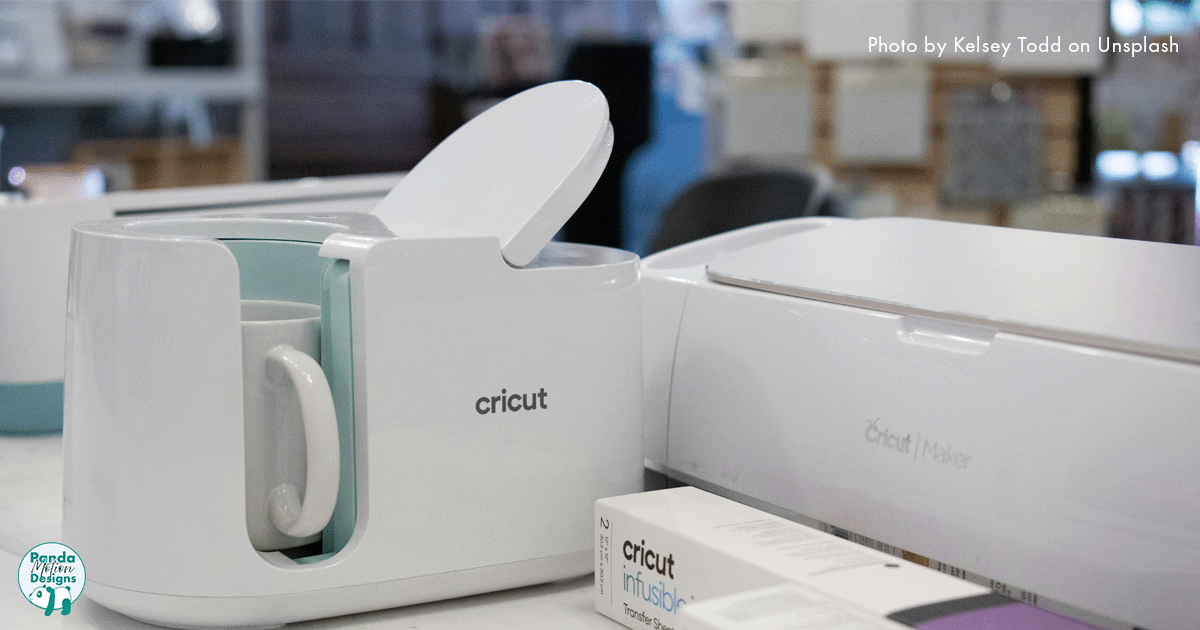
I am going to show you 2 types of heat press. First is the flat or clam heat press, ideal for use for t-shirts, bookmarks, coasters, basically anything that’s flat. And here we have a mug press with an 11 oz attachment. I am going to show you both just so you can see the difference between the types of press.

All heat presses are different, I have seen some clam presses where the bottom pulls out instead of the upper bit swinging out. Some presses will have a button for different pressure levels and so forth, but the basics are the same. So please do your research on presses.


Flat/Clam Press

Let’s start with the clam press.

The basics: There is the control box, it can be removed simply lifting up and removing the cable. Handle to open and close the clamp and it swings out both ways. And at the back here, this knob is the pressure control. Turn clockwise to increase pressure and anti-clockwise to decrease it.

To turn on there is a large red on the side of the control box, flick it on. This machine makes a loud beep to let you know it is on. This clam can take a few minutes to heat up but just make sure not to touch the large black area as it builds up the temperature quickly, handy little warning sticker to remind you. It is safe to touch the handle and these grips with your bare hands so you can swing it out.

Back to the control box. The top row here is your temperature and you can see it increase until it gets to your set temperature. The next line here is your timer. The lights to the right of the heat and timer indicates that it’s getting hotter, reached temperature and timer on. The little button under the power button is the fuse switch, you can test the fuse using this button if you need to.

To set the temperature, press the button that says mode. As mentioned earlier it might be different on your press, but typically the button in between the triangles or arrows is where you can set the timer and temperature. So press the button once to set your temperature and use the arrows to increase or decrease your temperature. Press the mode button again to confirm temperature and to set the timer. This number is in seconds. And once you’re done, press mode again, grab yourself a coffee and wait for it to reach temperature.

Once it’s at temperature, open your clam press, put in the item you are pressing, close, set your pressure and then press the button with the square symbol on the controller to start the timer. Once your timer is done, it will make a lovely high pitch beeping sound and simply press the button again to turn off, open and remove your product with oven gloves.

To turn off, simply switch the big red button on the side to off and let it cool down.

So, that’s the basics of the clam press.


Mug Press

Moving onto the mug press. I got this mug press as an emergency, I initially thought I had broken my control box for my flat press. Thankfully I hadn’t, I just blew the fuse and it’s fine now, but I got a telling off. Control boxes can be interchanged with other presses as long as they have the same connectors. But I couldn’t buy the control box individually so I had to buy a brand new mug press. Annoyingly the connectors don’t match, but I now have a spare mug press for when I am busy.

Turn on is the same as the clam. A big old button on the side. You have your handle to close the press around your mug or tumbler and a knob to control pressure. I am going to show you how some control box panels may differ slightly on the buttons. You can see the slight differences in the buttons but they serve the same functions as the clam press control box.

Mug presses heat up faster than the clam so you won’t have to wait long for it to reach the set temperature. But I want to show you something on this model. I have a sample mug here.

Now I do store my mugs at room temperature, this makes it better for pressing. But when I put my mug into the press, you can see that the temperature has dropped significantly and is going to start going back up to set temperature. 

BUT! I cannot start the timer. 

The control box won’t start the timer until it reaches close to the set temperature. My previous mug press never did this so it was a bit confusing when it first started doing this. So this is why I store at room temperature so it doesn’t take as long to reach the right temperature to sublimate. It’s almost like it’s pre warming the mug to ensure the quality of the transfer.

I have not had an issue with quality but it is something to keep an eye on when you start using heat presses as not all presses come with instructions and you may need to adjust timings and what not. Again the importance of testing before you start selling.


Conclusion

So there you have it! 

An overview of how to use a heat press. I hope that has been helpful. If you have any questions then feel free to post a comment below.

When looking at heat presses I do recommend purchasing a press from a proper supplier as most of them offer some form of customer support so if you have any issues it is quick to give them a call and get some help or you simply have any questions.


I hope this was of help to you and I appreciate you taking the time to read my blog.

If you have any questions please use the comment section below or use one of my social media channels. If you have a recommendation on software you would like to share, please share in the comments below, let’s all help each other to succeed.

Until Next Time…


How to Start Your Sublimation Business – Part 2 – Software

Hello There Padawan! 

Welcome to part two of my blog series on starting up your own sublimation business.

If you haven’t already, have a read of Part 1 or ‘Sublimation or Vinyl? Which is Best for Me?’ And ‘What on earth is sublimation and why is it awesome?’ or we can go ahead and dive straight into it.

It has been a couple of months since my last blog post. However, July was a hectic month with getting ready for my son starting Primary school (how is he 4 already?). Additionally, his birthday and 2 weeks away in Canada kept me busy; therefore, I just didn’t have the time to share my latest insights/ramblings.

I am still, however, accepting Guylian or Lindt chocolates as thank you gifts. 😛 😉

*Please note: I haven’t been asked to promote or sell items that I mention on this page. These have been purchased based on personal research. Please do the research to find the right software for you*


Do I Really Need Software?

Well…yes. You will need to be able to print your designs from your sublimation printer. In fact, this is pretty simple software; therefore, all you need to check is that the image is reversed when printed.

On the other hand, to resize your design so it fits onto your product correctly, or to make minor edits to your design or to scan your drawing so it can be printed, you will need a form of design or photo editing software.

Let’s take a look at some of the most popular sublimation software’s out there.

Canva

I think everyone has heard of Canva. It’s an easy to use software that can produce some decent results, and many have been using it to design. 

I haven’t used it myself; however, from what I have seen in videos online, it’s a nice bit of software and, consequently, will do pretty much everything you need it to do. There is even a free version of it which is great if starting out plus you can use it to help create social media content and use templates. Plus online tutorials to get you up to speed quickly. Bonus!

Canva Pro does offer extra features including background removal, file translation, being able to schedule social media content and more.

The downside I see to this, however, is that creating a vector design from scratch (like you would in Adobe Illustrator) is not easy. Furthermore, this feature is very simple, and consequently, you won’t get the quality or precision like you would in other software. Nonetheless, if all you are looking for is a software to transfer your designs from paper to digital to printer, then, indeed, this is perfect for you.

Pro: Free version available. Easy to use; therefore, it won’t take long to train up on it. Can be used to create social media templates. Free online tutorials. Phone app version available.

Con: Enhanced features only available in the paid version. Tools not highly advanced like you would find in other software. No vector art.

GIMP

GIMP has come a very long way since I used it in its early life. In fact, it is very much like Adobe Photoshop; however, it is free. Moreover, it does everything you will need it to do and more. 

It could require some tutorial training to get up to speed with the software but once you are well versed in it you are off. 

Pro: Free. Customisable, you have it set up the way you like it. Easy image manipulation tools. Create social media posts.

Con: Can take time to learn. As it is open source, developers work on this in their free time so it can be buggy and could take some time for updates. No phone or app version

Adobe Photoshop and Illustrator

The heavy weights of the graphic design/photography world. Adobe has always been the industry leader and you can mostly rely on their products. I was trained using Adobe so I am comfortable with their products and know them very well, so it is very much my go to software. It has everything I need to do my digital designs and image manipulation. Illustrator is great for creating icons and more intricate designs. And Express has thousands of social media templates for you to use.

However, it is a bit of a monster. And is very intimidating to anyone not well versed in it. There are plenty of tutorials out there. So if you ever get stuck, a quick google will lead you to a tutorial somewhere on the internet. It is also expensive, and a free version hasn’t been available in years. They do have a 30 day trial so you can download it and give it a go. Just remember to cancel before the 30 days is up.

Pro: Create scalable vector designs. Cloud Library to keep your brand on hand in all areas of the software. Simplified phone versions of the software. Produces good results.

Con: Intimidating to use for some. Can take time to learn. Expensive. Additional costs in certain areas. 

Other Softwares are Available

This is just a small example of the software available. Budget is of course an important factor in this so take that into account when looking for software. Take a good look at what tools are available and if it has everything you need.

I would definitely recommend trialling the software. Just so you can to have an idea of what kind of workflow use and if it is the right software for you before committing to any subscription package (if you choose to do so)

*Please note: I haven’t been asked to promote or sell items that I mention on this page. These have been purchased based on personal research. Please do the research to find the right software for you*


I hope this was of help to you and I appreciate you taking the time to read my blog.

If you have any questions please use the comment section below or use one of my social media channels. If you have a recommendation on software you would like to share, please share in the comments below, let’s all help each other to succeed.

Until Next Time…


Top 5 Lessons Learned As A Small Business Owner

Getting from There…

I have been running my little business for just over 2 years now. And, as you can imagine, there was a learning curve. There is a lot that goes into starting up and running an at home business. Some things I expected, some were a complete surprise.

Let me share with you a few things that I learned.


Lesson 1: Invest in Quality

That rotten word. Money. We all need it, especially in this day and age of the cost of living crisis. The thought of spending money on equipment and software as well as a place to host your products is very off putting.

It was for me when I first started. I tried before in the past and didn’t do well, so I was very reluctant to do it only to find I would never make a sale.

But it is worth it! It is such an ego boost to know your effort has been worth it in that first sale. Just do your research and don’t just go for the cheapest option. Invest in decent quality equipment and products. Shop around, read reviews and make that investment.

It is also worth it to invest in advertising. Check to see how much it costs to advertise on your preferred platform. I will be honest, I did not want to invest in this area. But my husband went over my head and my fears and he paid for advertising on Facebook and Instagram. It brought in more views and more people to my Etsy shop at the start. So it is definitely something I would recommend you do when you start your small business and get that exposure at the start.

Lesson 2: Fees – The Hidden Charges

This did bite me in the rear end. I did not look into hidden costs on my selling platform, so therefore did not take this into account for my pricing.

I use Etsy. Simply for the ease of TAX purposes as they will add VAT to products if needed to. However, there are a tonne of hidden charges; Listing charges, operating fee, processing fees, transaction fees. I didn’t do my research, and got burned on these fees. They may seem small charges but they build up.

I strongly recommend checking for hidden fees before committing to a selling platform.

Lesson 3: Proof of Postage

Gah! Lost items in post!

It’s going to happen, sadly. Especially when you are sending a lot out and to somewhere outside the UK. Make sure you have proof of postage. No matter who your courier is, keep that proof of postage in order to claim for lost or damaged items.

I use Royal Mail 99% of the time. They are cheaper, more convenient, and more eco-efficient. And I either go to my local post office or use their collection service so I can get a receipt or email as proof of postage. I have managed to get most of the money back for lost or damaged items because I had these.

If you don’t, then the courier can either refuse you a refund or you get a partial payment to cover the lost item. That can be a lot of money lost. 

So get that proof of postage!

Lesson 4: Some are Never Happy

Sorry folks. I am not Amazon.

My first negative review was like a slap in the face. And it was something beyond my control (Lost item in post due to Royal Mail strikes) and they gave me a negative review before contacting me and it really did upset me.

It can be a big setback for many, and I took a mental health hit. It took me a couple of days but I eventually realised that you just can’t please everyone. And some lonely folks on the internet just have nothing better to do than leave bad reviews for the simplest things.

So, I guess what I am saying is, ride it out. Don’t give up and learn from it. You will get even more lovely reviews and it will swamp that bad review. You got this.

Lesson 5: Social Media Takes Time

The creative outlet that will bring more customers to your door (both digital and physical)

That’s the point of social media right? But it takes so much time. I was constantly doing social media planning and creation and spending less time with my family. While yes, it is important to post regularly it is also important not to lose sight of the important things.

It will take time to build up that following, the likes and then you have the research into how the algorithms work (especially when they change frequently. I am looking at you Instagram) So, please don’t be disheartened if you don’t get the likes you want, trust me you are being seen.

I now plan my social media posts a week in advance, that includes the image and caption as well as the tags. It has made things so much easier and getting a lot more likes since I am planning better.


…To Here

Every small business or independent contractor is going to have teething problems no matter what. These are just the main ones that really stood out for me.

It is easy to get frustrated and upset. But stick with it. Ride it out. It will work out in the end, you may not see much of a profit for the first year. Use that first 12 months to learn, adapt and improve. And you will start to see changes and all that hard work will be worth it.


Well, I hope that was helpful. Please let me know what you thought about this post in the comments below.

I am also on social media so please feel free to follow me using the links below.

Until next time, stay cool.


Sublimation or Vinyl? Which is best for me?

A few times this month, other parents have asked me a question. More mums/parents are looking at alternative or additional incomes, especially now with the cost of living and childcare costs increasing. It’s no surprise that this question is commonly asked of me.

In this article, I’ll delve into the intricacies of both methods, offering insights into their pros and cons to help you make an informed decision.

And no, we won’t be diving into the cosmic Koala conundrum.


What is Vinyl and Sublimation?

Vinyl involves cutting designs with a machine, peeling them off, and applying heat to adhere them to various surfaces. Sublimation, on the other hand, entails printing designs onto special paper and transferring them using heat.

What Can I Do?

There is a tonne of stuff that you can do with either.

Both techniques offer a myriad of creative opportunities. Sublimation excels in transferring hand drawings, digital artwork, or photographs onto surfaces like coasters, jigsaw puzzles, and bags. Conversely, vinyl is versatile, allowing intricate designs to be cut and applied to almost any surface.

What’s the Setup?

Starting either venture requires minimal equipment. For vinyl, a cutting machine and heat press suffice, while sublimation necessitates a printer, ink, paper, and a heat press. Initial costs for both range from £300 to £500, with sublimation setups typically costing slightly more.

Space Required for Equipment

This was one of my biggest worries. Where am I going to put it all?

Consider the space needed for equipment placement. Sublimation equipment, particularly clam presses, is heavy and requires stable placement. Vinyl equipment, while lighter, can still occupy considerable space but offers more mobility.

Do I Need to Learn Anything New?

Sublimation is relatively straightforward, involving printing, pressing, and minimal trial and error. Vinyl, however, demands proficiency in specialised software, precise cutting, and meticulous application, resulting in a steeper learning curve.

Can I Work it Around Childcare?

This is my main question. And probably is the question that lead you to read this blog post (and I thank you so much if you got this far)

And the answer is yes. 

Both methods offer flexibility for parents to work around childcare schedules. Sublimation may be more time-efficient, as designs can be quickly printed and pressed. However, vinyl allows for more intricate designs, albeit with additional time and effort.

When my son was napping I was able to process orders, print off designs and start packing as he slept soundly. I would then do pressing in the evening or on days he was at nursery. Now the naps are gone I can still work around him, just be prepared to be interrupted (a lot) to open a banana.

Decision

Ultimately, the choice between sublimation and vinyl hinges on personal preferences and time constraints. While sublimation offers ease of use and durability, vinyl provides versatility in design. Consider your workflow, space limitations, and desired outcomes before making a decision.

I went with sublimation, simply because I didn’t have the time to individually cut out different colours of vinyl, put it all together and then place it on a suitable surface. It was quick and easy to set up and get going. Another attraction was that it allowed me to use photographs and hand drawings on products allowing me to offer more personal products to potential customers.


Conclusion

Whether you opt for sublimation or vinyl, embarking on a creative business venture can be rewarding. By weighing the advantages and drawbacks of each method, you can select the approach that aligns best with your skills, resources, and lifestyle

All hail the cosmic Koala!


Building Bonds: A Thank You Note

Photo by Courtney Hedger on Unsplash

Happy New Year everyone! What a year 2023 was.

Our small business receive an increase in sales as well as social media followers last year. Which is amazing since the business only began back in 2022.

And it’s all down to customers and some amazing people who showed support on social media.

Customers are obviously the driving force for any business. But last year I had some lovely new customers as well as plenty of return customers too. Some had left some absolutely lovely reviews. Just makes me smile when I re-read them when I am feeling down.

Social media plays a big part in almost everyone’s day to day life. And it has been lovely to have support from other small businesses. I have also been tagged in a couple of social media posts by customers showing off their buys. Always lovely to see my products in the wild. So to you heroes, Thank You!

Here is to 2024 and hopefully see more customers and more small businesses growing strong.


I have been doing a lot of planning for this year. Not only for products but for blogs and social media content. Is there anything you would like to see? Any suggestions? Let me know in the comments below or use the contact us form.


Setting the Stage for Success: Unveiling My Business Goals for 2024

As 2023 comes to an end, we prepare to slide into a Christmas cheese coma, while enjoying Wallace & Gromit, it’s time to set our sights on the upcoming year. My business journey, started as a way to earn extra income while managing childcare, has evolved into a promising venture. With a brand-new website and a growing customer base, it’s crucial to plan for the challenges that 2024 may bring.

So, lets jump in.

Financial Goals:

With a successful profit margin achieved in the business’s inaugural year, our primary financial goal for 2024 is to build upon this success. We will be investing in expanding our product offerings, including the exciting prospect of incorporating a self-built laser cutter machine by my creatively-inclined husband. This addition will enable us to introduce new designs and personalization’s, enhancing our market appeal. We will also be increasing advertising investment to drive more traffic to both Etsy and our website, with an aim to increase sales.

Lifestyle Goals:

Amid the pursuit of business success, maintaining a well-balanced life is paramount. Reducing screen time and embracing quality family moments become focal points. As we look forward to expanding our family, achieving balance assumes even greater significance, necessitating efficient time management and avoiding burnout.

Impact Goals:

With the introduction of our new website, a commitment to giving back to the community comes to the forefront. Plans include sharing insights on starting a business, providing sublimation tutorials, and potentially offering free templates. Leveraging my background as a video editor and graphic designer, I aspire to create engaging content to reach and assist a broader audience.

Creative Goals:

In 2024, I wish to push creative boundaries and delve into new artistic territories. While digital drawing remains a staple, I’m eager to revisit watercolours—a nostalgic passion. Additionally, experimenting with new sublimation materials, such as cushions, tea towels, and makeup bags, promises to infuse fresh creativity into our product line-up.

Optimization Goals:

This is an area I am not well versed in so will be dedicating focus on SEO, keywords, and listing titles. The new blog will take centre stage, with meticulous SEO optimization, followed by an emphasis on social media growth. Continuous reviews and adjustments throughout the year will be pivotal for sustained growth.

Reputation Goals:

A more cohesive and universally recognizable brand identity is on the horizon. Striving for a seamless brand experience across all platforms, coupled with the creation of valuable resources on the website, will contribute to an enhanced reputation. Commitment to stellar customer service, evident in glowing Etsy reviews, will remain a priority, with a pledge to further refine and elevate service standards.

Other Goals:

Embracing courage is the final frontier. Stepping out from behind the scenes, I commit to being more visible on social media, sharing more than just a few photos. This newfound bravery is essential for personal and brand growth.


As I unveil my business goals for 2024, I invite you to share your ideas and offer any suggestions. Together, let’s make the upcoming year a transformative journey towards success.

All hail the cosmic Koala!